
Understanding Variables and Data Types in JavaScript

When you start learning JavaScript, one of the first and most important concepts you’ll encounter is variables and data types. in the real world we use may variables and data types for various works
If you understand these clearly, your JavaScript foundation becomes strong. in this blog we will going to understand the Variables and Data Types in JavaScript
What is a Variable?
Real life Example
Imagine you have a box.
You can:
Put something inside it
Label the box
Open it later and change what’s inside
In programming, that box is called a variable. A variable is a container that stores data.
Your name → stored as text
Your age → stored as a number
Are you a student? → stored as true/false
In JavaScript, we store this information using variables.
How to Declare Variables in JavaScript
In JavaScript, we declare variables using:
varletconst
Example:
var city = "Nashik";
let age = 21;
const country = "India";
citystores textagestores a numbercountrystores a constant value
Primitive Data Types in JavaScript
JavaScript has different types of data. The most basic ones are called primitive data types.
String
Used to store text.
let name = "Nikhil";
Anything inside quotes (" " or ' ') is a string.
Number
Used to store numbers.
let age = 22;
let price = 99.99;
JavaScript does not separate integers and decimals both are numbers.
Boolean
Used to store true or false.
let isStudent = true;
truefalse
Null
Represents an empty value (intentionally empty).
let result = null;
It means: “There is nothing here right now.”
Undefined
When a variable is declared but not given a value.
let score;
console.log(score); // undefined
It means: “Value is not assigned yet.”
What is Scope? (Beginner-Friendly)
Scope means:
Where your variable can be accessed.
Think of scope like rooms in a house.
If you keep a box inside your bedroom:
- Only people inside that room can see it.
In JavaScript:
Block scope → variables declared inside
{ }Function scope → variables declared inside a function
Example:
{
  let x = 10;
  console.log(x); // Works here
}

console.log(x); // ❌ Error (outside block)
The variable only lives inside the block.
Changing Values
Variables declared with let can change:
let age = 20;
age = 21; // Allowed
But const cannot be changed:
const country = "India";
country = "USA"; // ❌ Error
That’s why we use:
const→ when value should not changelet→ when value may change
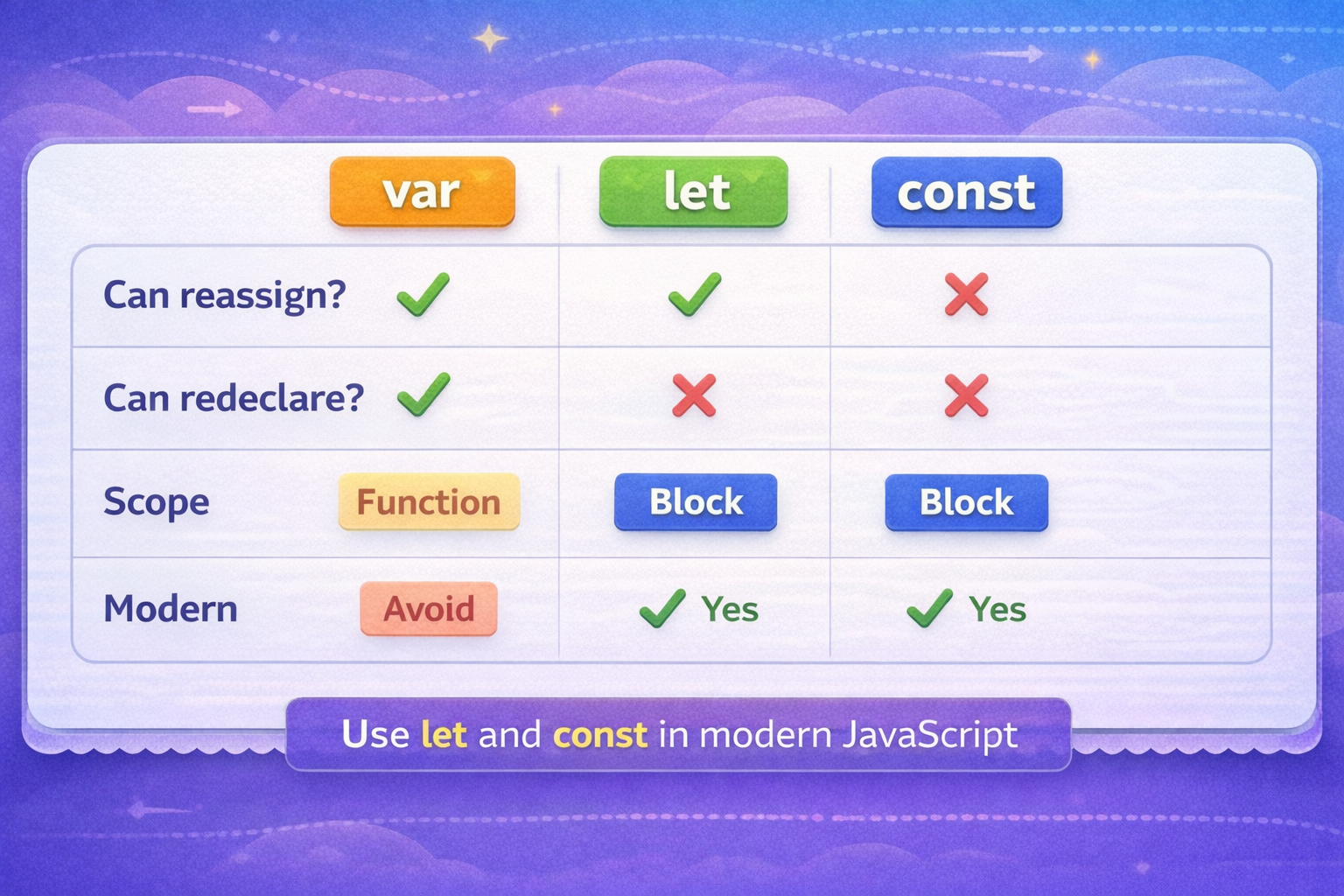
Understanding the Difference Between var, let, and const
When you first see var, let, and const, they might look almost the same.
All three are used to declare variables in JavaScript.
But here’s the truth:
They behave differently and choosing the right one actually matters.
1. Can the Value Change?
This is the first and most important difference.
Think of it like this:
let→ You are allowed to change what’s inside the box.const→ Once you put something in the box, you cannot replace it.var→ Also allows changing (but has some issues we’ll discuss).
Example:
let age = 22;
age = 23; // This works fine
Here, we updated the value. No problem.
Now look at const:
const country = "India";
country = "USA"; // Error
This throws an error because const variables cannot be reassigned.
So whenever you know a value should not change, use const.
2. Can You Declare It Again?
Another important difference is redeclaring variables.
With var, this is allowed:
var name = "Nikhil";
var name = "Rahul"; // No error
JavaScript allows it but this can create confusion and bugs in large programs.
With let and const, redeclaration is not allowed:
let score = 10;
let score = 20; // Error
This is actually a good thing.
It protects your code from accidental mistakes.
That’s one reason modern JavaScript prefers let and const.
Why Developers Avoid var Today
In older JavaScript code, var was commonly used.
But it has some confusing behavior related to scope and redeclaration.
As JavaScript evolved, let and const were introduced to fix these problems.
That’s why in modern development:
We avoid
varWe prefer
letWe mostly use
constby default
practice
Try this in your browser console or in a .js file:
let name = "Nikhil";
let age = 22;
let isStudent = true;

console.log(name);
console.log(age);
console.log(isStudent);

// Change let values
age = 23;
console.log(age);

// Try changing const
const country = "India";
// country = "USA"; ❌ Uncomment and observe error
Observe the output:
letallows changeconstthrows an error if reassigned
conclusion
The article introduces fundamental concepts of JavaScript, focusing on variables and data types, which are crucial for building a strong foundation in programming. It explains that variables in JavaScript act as containers to store data, similar to how you might use a box in real life to hold items. The article covers how to declare variables using var, let, and const, and highlights the importance of choosing the appropriate one based on whether the stored value needs to change.
It further delves into primitive data types in JavaScript, such as strings, numbers, booleans, null, and undefined, each serving different purposes in data representation. The concept of scope is introduced to explain where variables can be accessed, distinguishing between block scope and function scope. Additionally, the article emphasizes the differences between var, let, and const, particularly in terms of reassignment and redeclaration, recommending the use of let and const in modern JavaScript to avoid confusion and potential bugs associated with var.
Overall, the article encourages hands-on practice by experimenting with variable declarations and modifications in the browser console, reinforcing the understanding of how let and const behave differently from var. The conclusion stresses the importance of using let and const in contemporary JavaScript development to ensure code reliability and maintainability.
Comments
Join the discussionNo comments yet. Be the first to comment.


