
JavaScript Operators: The Basics You Need to Know
Understand the operators with the simple examples

When I first started learning JavaScript, I thought coding was all about writing long complex logic.
But very quickly, I realized something important.
Everything in JavaScript from calculations to conditions to loops depends on operators.
Operators are small symbols.
But they control almost everything in your program.
If you understand operators clearly, your coding becomes smoother, cleaner, and more confident.
So in this blog, let’s understand JavaScript operators in the most simple and practical way possible like real developers use them daily. No complex theory. No confusing rules.
Just clear examples.
What Are Operators?
In simple words:
An operator is a symbol that performs an action on values.
For example:
let result = 5 + 3;
Here:
5and3are values (operands)+is the operator8is the result
The + tells JavaScript to add the numbers.
That’s it.
Operators are basically instructions for JavaScript.
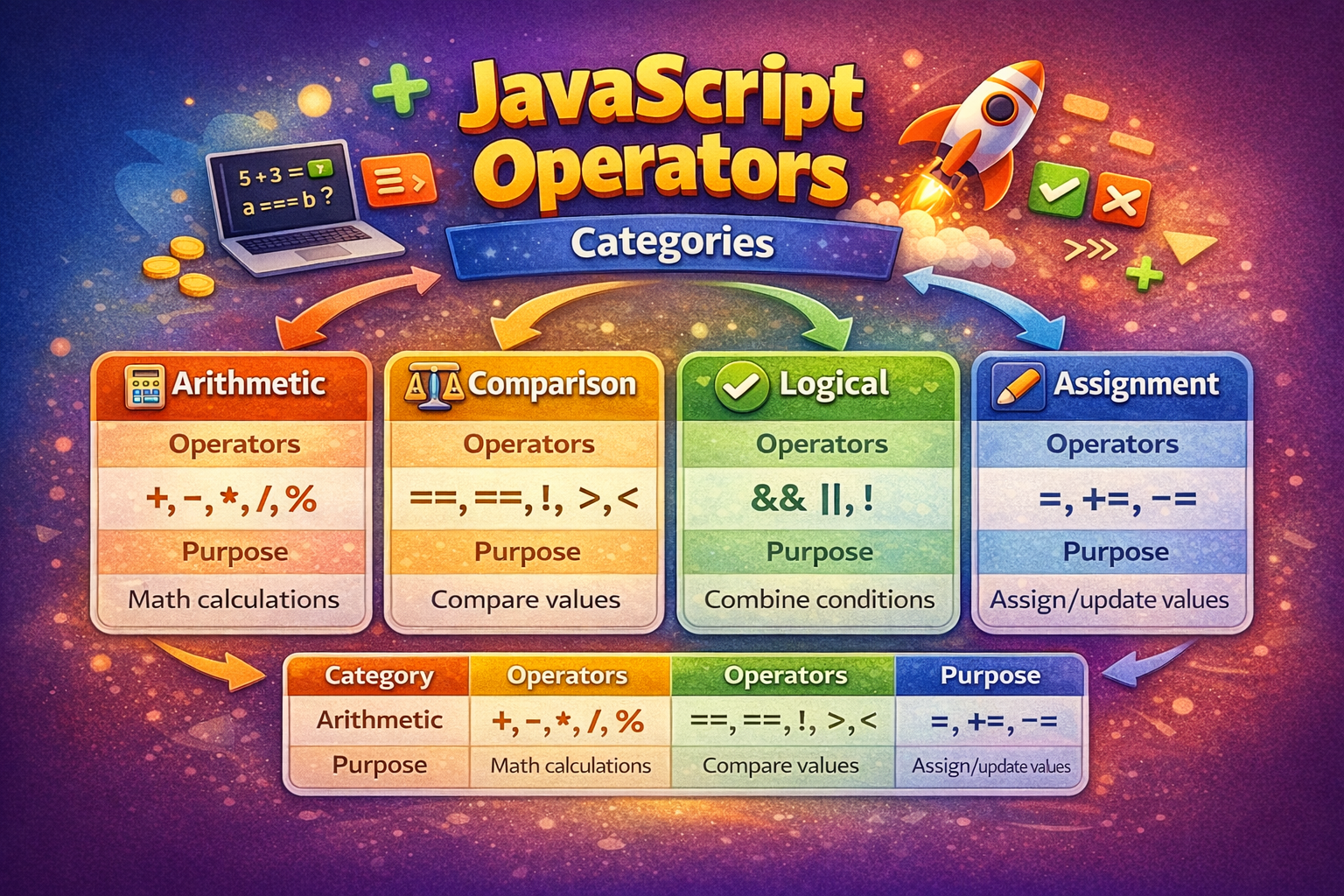
Arithmetic Operators (Math in JavaScript)
Whenever you want to perform basic calculations, you use arithmetic operators.
These are the same operators we learned in school.
The most common ones:
+→ Addition-→ Subtraction*→ Multiplication/→ Division%→ Modulus (remainder)
Let’s see them as Example.
let a = 10;
let b = 3;

console.log(a + b);
console.log(a - b);
console.log(a * b);
console.log(a / b);
console.log(a % b);
The interesting one here is %.
Many beginners ignore it, but it’s very powerful.
It gives the remainder after division.
Example:
console.log(4 % 2); // 0
console.log(5 % 2); // 1
This is commonly used to check if a number is even or odd.
If remainder is 0 → even
If remainder is 1 → odd
Simple. Practical. Useful.
Comparison Operators (Making Decisions)
Now imagine you are building a login system.
You need to check:
Is the password correct?
Is the user older than 18?
Are two values equal?
This is where comparison operators come in.
They compare two values and always return:
truefalse
Common Comparison Operators:
==→ Equal (only checks value)===→ Strict Equal (checks value AND type)!=→ Not equal>→ Greater than<→ Less than
The Most Important Concept: == vs ===
This is something every beginner must understand clearly.
Example:
console.log(5 == "5");
This returns:
true
Why?
Because JavaScript automatically converts "5" (string) into number 5.
Now look at this:
console.log(5 === "5");
This returns:
false
Because:
5is a number"5"is a string
Different types → false
Real Developer Advice
Always use:
===
It avoids unexpected bugs.
Most professional developers prefer strict equality.
Logical Operators (Combining Conditions)
Now things get interesting.
Sometimes one condition is not enough.
Example:
A student passes only if:
Marks are above 50
AND attendance is above 75%
Now you need to combine conditions.
This is where logical operators help.
Types of Logical Operators
&&→ AND||→ OR!→ NOT
Understanding AND (&&)
Both conditions must be true.
let marks = 80;
let attendance = 85;

if (marks > 50 && attendance > 75) {
  console.log("You passed!");
}
If even one condition is false → result is false.
Understanding OR (||)
At least one condition must be true.
let hasCoupon = false;
let isPremiumUser = true;

if (hasCoupon || isPremiumUser) {
  console.log("Discount applied!");
}
Even if one is true → condition passes.
Understanding NOT (!)
NOT simply reverses the value.
console.log(!true);  // false
console.log(!false); // true
Very useful in authentication and toggling states.
Truth Table for Logical Operators
AND (&&)
| A | B | Result |
|---|---|---|
| true | true | true |
| true | false | false |
| false | true | false |
| false | false | false |
OR (||)
| A | B | Result |
|---|---|---|
| true | true | true |
| true | false | true |
| false | true | true |
| false | false | false |
Assignment Operators (Updating Values)
Assignment operators are used to store or update values inside variables.
The most basic one is:
=
Example:
let score = 10;
But JavaScript also gives shortcuts.
Instead of writing:
score = score + 5;
You can write:
score += 5;
Same thing. Cleaner code.
Example:
let score = 10;

score += 5;
console.log(score); // 15

score -= 3;
console.log(score); // 12
These are very useful in loops and counters.
Conclusion
The article emphasizes the importance of understanding operators in JavaScript, noting that they are fundamental to writing efficient and effective code. Operators are symbols that perform actions on values, and they are essential for calculations, conditions, and loops in programming. The article aims to simplify the understanding of JavaScript operators by providing practical examples without delving into complex theories or rules.
The article covers several types of operators: Arithmetic operators for basic calculations, Comparison operators for making decisions, Logical operators for combining conditions, and Assignment operators for updating values. Each type is explained with clear examples, such as using arithmetic operators to perform basic math, comparison operators to evaluate conditions, logical operators to combine multiple conditions, and assignment operators to update variable values efficiently.
Key takeaways include the importance of understanding the difference between == and === for equality checks, using logical operators to handle multiple conditions, and leveraging assignment operators for cleaner code. The article advises using strict equality (===) to avoid unexpected bugs, which is a common practice among professional developers. Overall, the article provides a practical guide for beginners to grasp the essentials of JavaScript operators, enhancing their coding skills and confidence.
Comments
Join the discussionNo comments yet. Be the first to comment.


