
JavaScript Arrays 101
Beginner friendly guide through the Arrays with the examples

When I first started learning JavaScript, I thought arrays were just “lists”.
But I quickly realized…
Arrays are not just lists.
They are one of the most powerful foundations in programming.
Let me explain in a simple way in this blog
A Small Real-Life Problem
Imagine you are building a simple student marks app.
You need to store marks of 5 subjects.
At first, you might write something like this:
let math = 85;
let science = 90;
let english = 78;
let history = 88;
let computer = 95;
Looks fine.
But now imagine:
50 subjects
100 students
1,000 records
Now your code becomes messy. Hard to manage. Hard to scale.
This is where arrays change everything.
What Is an Array?
An array is simply a collection of values stored in order inside a single variable.
Instead of writing 5 separate variables, we can write:
let marks = [85, 90, 78, 88, 95];
That’s it.
One variable. Multiple values. Clean structure.
Think of an array like:
A row of lockers
A list of tasks
A playlist of songs
A row of seats in a classroom
Each item has a position.
And that position is called an index.
Why Do We Need Arrays?
Arrays help us:
Store related data together
Avoid writing repetitive variables
Loop through data easily
Scale our applications
Write cleaner code
Without arrays, programming becomes painful very quickly.
With arrays, things feel organized.
How to Create an Array
The most common way is using square brackets:
let fruits = ["Apple", "Banana", "Mango"];
That’s it. Simple.
You can store:
Strings
Numbers
Boolean values
Even mixed types (though beginners should avoid mixing too much)
Example:
let mixed = ["Nikhil", 21, true];
Yes, JavaScript allows this.
Understanding Index (Very Important)
Here is something beginners often forget:
Array indexing starts from 0.
Let’s visuali ze:
Index:    0        1        2

Values:  Apple   Banana   Mango
So:
console.log(fruits[0]); // Apple
console.log(fruits[1]); // Banana
console.log(fruits[2]); // Mango
If you try:
console.log(fruits[3]);
You will get:
undefined
Because it doesn’t exist.
Accessing Elements
To access any value, we use square brackets with index.
let colors = ["Red", "Blue", "Green"];

console.log(colors[0]); // Red
console.log(colors[2]); // Green
The number inside brackets decides which value you get.
Updating Elements
Arrays are flexible. You can change values anytime.
let cities = ["Mumbai", "Delhi", "Pune"];

cities[1] = "Nagpur";

console.log(cities);
Output:
["Mumbai", "Nagpur", "Pune"]
You don’t recreate the array.
You just update the position.
The Length Property
Every array has a built-in property called length.
let subjects = ["Math", "Science", "English"];

console.log(subjects.length);
Output:
3
Very important point:
The length is always one more than the last index.
If last index is 2 → length is 3.
Looping Through an Array
Now comes the real power.
Imagine printing 100 items manually. Impossible.
Instead, we use a loop.
let fruits = ["Apple", "Banana", "Mango"];

for (let i = 0; i < fruits.length; i++) {
  console.log(fruits[i]);
}
Output:
Apple
Banana
Mango
Let’s break it down simply:
Start from index 0
Continue until index is less than array length
Increase index each time
Print value at that index
That’s it.
Without Array vs With Array
Without Array
let task1 = "Study";
let task2 = "Workout";
let task3 = "Code";
Hard to loop, Hard to manage, Hard to scale.
With Array
let tasks = ["Study", "Workout", "Code"];
Now you can:
Loop
Update
Count
Modify
All easily.
This is why arrays are fundamental.
Think of Arrays Like Memory Blocks
Imagine memory like this:
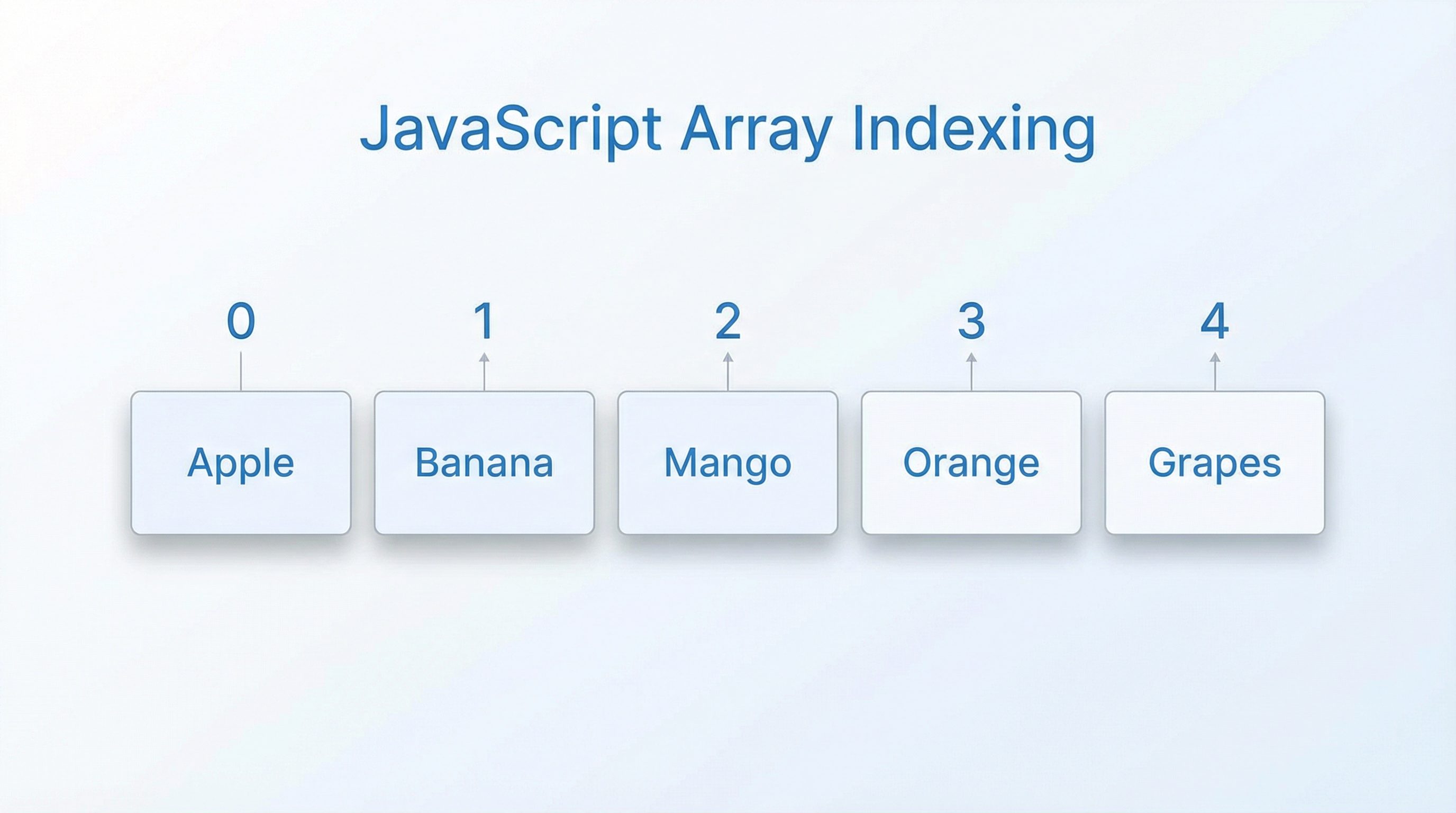
Each block has:
A value
A fixed position (index)
When you write tasks[1], JavaScript directly jumps to that block.
Fast. Efficient. Clean.
example to practice
Create an array of 5 favorite movies
let movies = ["Inception", "Interstellar", "3 Idiots", "Avengers", "KGF"];
Print first and last movie
console.log(movies[0]);
console.log(movies[movies.length - 1]);
Change one value
movies[2] = "Dangal";
console.log(movies);
Loop through the array
for (let i = 0; i < movies.length; i++) {
  console.log(movies[i]);
}
Conclusion
The article explores the importance and power of arrays in programming, particularly in JavaScript. Initially perceived as simple lists, arrays are actually fundamental to organizing and managing data efficiently. The author illustrates this with a real-life scenario: storing student marks across multiple subjects and students. Instead of using separate variables for each value, arrays allow for a clean, scalable solution by storing multiple values in a single variable.
Arrays are described as ordered collections of values, similar to rows of lockers or playlists, where each item has a specific position called an index. They enable programmers to store related data together, avoid repetitive variables, and write cleaner, more scalable code. Arrays can contain various data types, including strings, numbers, and even mixed types. The article emphasizes the importance of understanding array indexing, which starts at zero, and how to access, update, and loop through array elements.
The article also highlights the efficiency of arrays for tasks such as looping through data, updating elements, and counting items, which would be cumbersome without them. Arrays are likened to memory blocks where each block has a value and a fixed position, allowing for quick and efficient data access. By using simple examples, such as creating an array of favorite movies, the article demonstrates how arrays can be utilized in practical scenarios, reinforcing their role as a fundamental tool in programming.
Comments
Join the discussionNo comments yet. Be the first to comment.


